Software for Home Builders and Condo Builders |
|
 |
||
 |
H.O.M.E.S. Sample Document |
|
|
|
||
 |
||
Software for Home Builders and Condo Builders |
|
|
|
||
|
|
H.O.M.E.S. Sample Document |
|
|
|
||
|
|
||
Sample Document: Delay Letter |
|
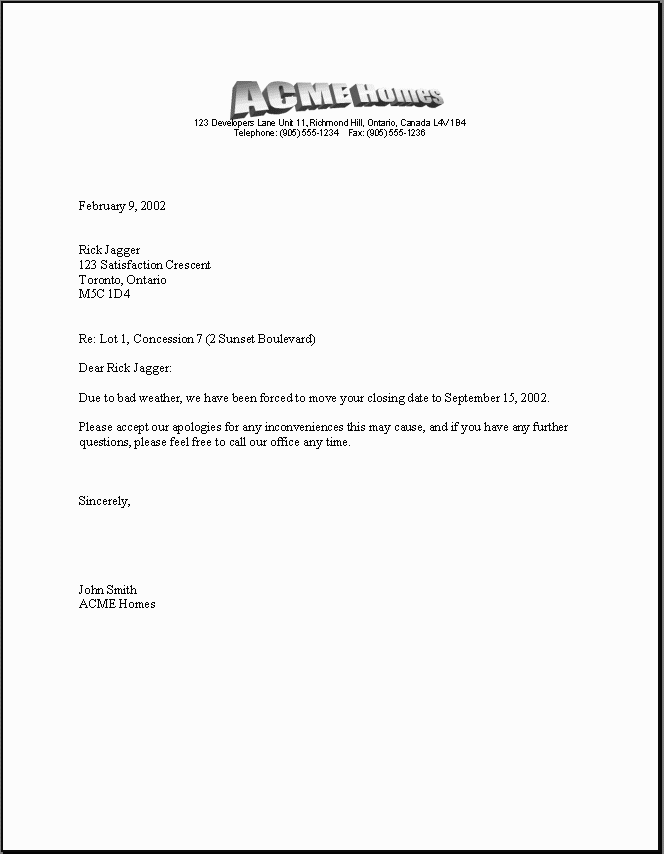
Please Note: The document has been scaled down and converted to an image for those viewing with small screens. The actual documents are printed on full size paper and are much more clear. |
 |
|
Above is a simple example of a closing date delay letter that was automatically generated using H.O.M.E.S. Naturally, your delay letter(s) may differ, and that is fine because you can customize your documents any way you wish since they are printed using Microsoft Word® document templates. The H.O.M.E.S. system fully tracks closing/occupancy delays and notification deadlines. When it is deemed necessary to delay a closing or occupancy, you are provided with the amount of days the closing/occupancy is already delayed, the latest available closing/occupancy date according to notification deadline rules as specified when setting up the project. Once an offer is firm, the closing/occupancy date may only be revised at head office by either a delay letter or an amendment to the purchase agreement. When you select a new closing/occupancy date, you are asked whether you wish to delay by amendment or by delay letter. Since you are also asked for the reason for the delay, if you are delaying the closing/occupancy using a delay letter, this reason can be used to automatically generate a delay letter! H.O.M.E.S. can
also help to ensure closing/occupancy date delay notification
deadlines are never missed using the
Purchaser
Notifications report,
Closing Dates report or
Occupancy Dates report. You can even be reminded
automatically of important notification deadlines looming
according to your preferences. |
| Home About Us Products Support News Contact Us Sitemap |
|
© 2000-2024 Falcon Software (All rights reserved) |
| Windows, Office and MS-Word are trademarks of Microsoft Corporation |


