Software for Home Builders and Condo Builders

H.O.M.E.S. Home Builder Software


Home About Us Products Support News Contact Us

Project Management Software for Home Builders & Condo Developers

Introduction

H.O.M.E.S. is computer software designed for home builders and condominium developers, to automate and organize the sale and construction of homes.  It helps builders construct homes faster with less effort, more control, fewer errors, higher profits and greater customer satisfaction.

This residential construction software is primarily intended for builders of subdivisions or condominiums. Projects can consist of houses, townhouses, condominiums or combinations of dwellings.

All lot or unit information is maintained in a database and kept up-to-date between head office, sales offices and optionally construction offices, thereby minimizing the possibility for losses caused by missed details. H.O.M.E.S. can link your offices with or without full-time Internet access! The system has separate modules for use at the head office, sales office, and construction office so your staff access only what each individual requires. With the H.O.M.E.S. On-line Edition, the system may be operated at sales and construction site offices from any geographic location in real-time via the Internet to access and update data stored at the head office. This ensures that all of your departments are kept up-to-date regarding all of the details for every lot/unit, for every project!


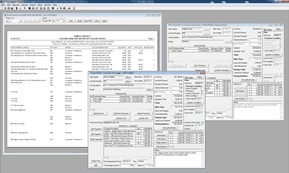
Single Family / Freehold Project

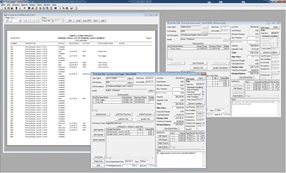
Condominium Project

Click to enlarge

(Click on image to enlarge)

(Click on image to enlarge)


With H.O.M.E.S. you can host your own data at your head office, so you don't have to expose it to others and you are not completely dependant on Internet access or the reliability of several 3rd parties as is the case with other web-based ASP applications that host your data for you. With H.O.M.E.S. if you lose Internet access, your company does not grind to a halt, and with the on-line edition you don't have to install or maintain software anywhere except at your head office.

H.O.M.E.S. manages a builder's projects from pre-sales, through sales and construction all the way through warranty service with a fully integrated system...no more double entry!

 
Key Features and Benefits
 
  • Build homes faster with more control, fewer errors, higher profits and greater customer satisfaction!

  • Keeps the sales office, head office and construction office for each project up-to-date on the status and details of each lot or unit at all times, with or without full time Internet access.

  • Helps to ensure no detail concerning any lot or unit is overlooked or misplaced.
  • Can be used just to organize and automate your head office, sales office(s), or as a full administration system for your entire organization!
 
  • Maximizes control over the sales process, as well as the administration of construction with user definable statuses for offers, amendments and extras, enforced revision deadlines etc. etc. 
  • Manages freehold home projects, condominium projects, or both.
  • Links remote offices with head office with or without Internet! Work in real-time via the Internet, or synchronize data on demand by phone (even via cellular) if full-time Internet access is not available.
  • Allows you to host your own data at your head office so it's not exposed to 3rd parties and your operation does not grind to a halt when Internet access is lost or unavailable!
    Click here to read more about why to use HOMES vs a web-based/ASP system.
  • Centralizes lot/unit specs and maintains customer profile including financial info and all customization/finishing details.
  • Removes all doubt about what is the most up-to-date information, and once a lot or unit is loaded, all additional details (eg Colours, Extras, Amendments, Date Revisions and Floor plans) are just a click away.
  • Fast and easy project setup even for custom builders offering many options and finishes!
  • Prints your customized legal documents ready for signing:
    • Purchase Agreement

    • Amendment to Purchase Agreement

    • Request for Extras / Extras sheet

    • Colour Chart

    • Closing Date and/or Occupancy Date Delay Letter

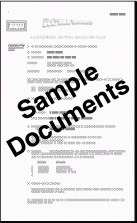
    • Mutual Release  Click here to view sample documents.

  • Integrates with Microsoft Word® (templates for documents and letters are easily customized...use your purchase agreement and H.O.M.E.S. will fill it in!)
 
  • Also prints customized Purchase Orders, Work Orders, Change Orders, P.O. Cancellation Notices, Service Work Orders, Completion Certificates etc with fully integrated optional components.
  • Tracks conditions for conditional offers and optionally prints applicable documents to accompany the purchase agreement.
  • TARION Compatible: H.O.M.E.S. is compatible with the new requirements for Ontario Canada based builders as dictated by TARION. H.O.M.E.S. automatically prints the TARION warranty addendums with the purchase agreement without any need for double entry or connection to TARION's website. The complete addendums are generated fully populated and ready for signing including the Statement of Critical Dates which are also calculated automatically and may be viewed easily and instantly on-screen at the click of a button. (HOMES still simultaneously and transparently manages lots/units for which the new TARION regulations do not apply.)
  • Automatically prompts you when important purchaser notification deadlines are approaching according to your preferences. (eg Closing date delay notification deadlines, occupancy date delay notification deadlines, construction commencement dates, vendor condition satisfaction dates.)
  • Preserves original Purchase & Sale Agreement information after a lot is sold while still accepting Amendments, Extras, and revised closing dates or occupancy dates.
  • Tracks customer deposits/payments by lot/unit, date received or deposited etc and reports when any are late or missing.
  • Ensures only appropriate models may be sold for each lot/unit.
  • Decor Center Management...adds more control to colour chart administration by providing optional drop-down selection lists for each finishing choice a purchaser must make for colours, designs or styles to ensure less errors and better organization. (Colour Charts can be automatically tailored according to the model and options purchased for the lot/unit, or you can use generic templates that meet the needs of all lots/units...your choice!)
  • Automatically calculates prices and costs for options sold by room size, such as carpet, hardwood, tile etc, and reports take-off unit quantities by colour choice for one lot/unit, or the whole project instantly with no extra effort.
 
  • Classifies options by model so only the options applicable to the selected model may be sold, and only valid colour choices are offered based on which model and options have been purchased.
  • Cross-references all upgrades/extras and colour choices for each lot/unit with the trades required to complete each job.
  • User-definable offer, amendment and extras statuses for flexible control over the approval process, and to determine what the current state of each offer/amendment/extra is, and who has editing authorization.
  • Manages model component budgets and reports expected profits by lot/unit before it's too late!
  • Maintains a full history of closing/occupancy date revisions by lot/unit, including method of revision (amendment or delay letter) and reason for revision. Also tracks available delay days for revised closings or occupancies and helps to ensure closing/occupancy date delay notifications are never missed. When applicable, customized closing/occupancy date delay letters may be generated automatically! Even automatically calculates closing dates based on a number of days, and helps to avoid weekends and holidays.
  • Performs batch price/cost changes for groups of models, lots/units, options etc according to user specifications in one easy step.
  • Performs batch trade/contractor assignments. Assign, un-assign or replace contractors to multiple models' components and/or options in one easy step. (Great for when you change contractors!)
  • Support for mail merges to send personalized letters and emails to multiple purchasers automatically using Microsoft Word® document templates. (Can also be used to address envelopes, labels etc. Filter by address, date sold, closing date etc. You can even specify customers by which model, option or colour choice they've purchased!)
  • Manages attached floor plans, photographs, supplemental documents or any additional files that can be viewed in a browser including Adobe Acrobat® PDF files, MS-Word® documents, Excel® Spreadsheets, JPGs (e.g. photos of deficiencies) etc.
  • Maintains distinct lists for each project for:
    • Lots/Units

    • Models

    • Sales Agents

    • Upgrade/Extra Options

    • Colour Selections

    • Trades

    • Contractors & Suppliers

    (Lists may be copied selectively to new projects.)
 
  • Powerful reporting with easy to use user-definable filter specifications. Reports include:
    • Closing Dates (Includes revision history, maximum potential delays & delay notification deadlines)

    • Colour Selections by Model

    • Colours Analysis - powerful reporting of purchasers' choices including take-off unit quantities.

    • Deposits and Settlements Report

    • Commission Report

    • Conditional Offers - Purchasers' Conditions

    • Conditional Offers - Vendor's Conditions

    • Construction Report by Lot/Unit - displays all construction specs for each lot/unit. (May be filtered by trade etc.)

    • Gross Margins by Lot/Unit (Available before you even start to build!)

    • Extras' Gross Margins

    • Extras Sales by Lot/Unit

    • Expected Gross Margins on Models

    • Expected Gross Margins on Options

    • Late Payments

    • Lot/Unit Status

    • Models Available by Lot/Unit

    • Model Budgets

    • Occupancy Dates

    • Purchaser Notifications

    • Sold-to-Date

    • System Security Log

    • Trades Cost Analysis by Lot/Unit, by Trade, etc.

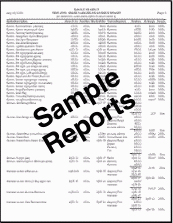
    • and many more!  Click here to view some sample reports.

 
  • Tracks work status and prints completion certificates on site with optional purchase order and site office systems.
  • Tracks parking space and storage locker inventories and occupancy dates for condo developers.
  • Outstanding Security! Individual user accounts and user groups may be defined with permissions/denials specified by project, program module, and even by all appropriate individual program features. The Security Log can optionally record events by user, project and date/time to enhance security and accountability.
  • Data files are compatible with MS-Access® for flexibility in customization, but without the heavy resource demands.
  • Loads and displays multiple offers or lots, reports etc simultaneously.
  • Licensed for an unlimited capacity of lots or units per project.
  • Permanent licensing! Manages an unlimited quantity of projects...no additional licensing fees!
  • Powerful enough to handle even large and complicated projects.
  • Multi-user/network ready.
  • Easy to use intuitive interface even for novice computer users.
  • Built in pop-up context sensitive Help Manual for new users.
  • Quickly pays for itself by reducing costs, raising efficiency, and eliminating errors.
  • Priced affordably even for small builders.
  • and much much more!
  On-Site with a Tablet PC
 
Sample Documents and Reports
 

Testimonials:

"We haven’t had a single hiccup for any unit since installing…I would recommend HOMES until I turned blue in the face!"

Sam DiSanto, Molinaro Group


“I love the way everything is at our fingertips. I could never go back to our old system.”

Abby Longlade, Summit View Homes


“This system is fantastic. I love the new features.”

Robert Falus, Lorbeth Properties

(Click to view sample documents)

(Click to view sample reports)


Optional Fully Integrated Add-on Components:
 

The H.O.M.E.S. Purchase Order System is a reliable automatic notification system to keep trades informed regarding what they are required to build. It generates purchase orders, work orders and change orders, tracks work status, and records invoice payments to avoid premature payments, duplicate payments and over-payments.

Click here for more information.


The H.O.M.E.S. Customer Service System organizes after sales warranty service issues and solutions. It generates and tracks service work orders and maintains a complete history and analysis of all details pertaining to warranty service matters to help ensure customer satisfaction and avoid  compensation.

Click here for more information.

The H.O.M.E.S. Contact Management System is a contact/customer relationship tracking sales tool specifically designed for homebuilders and condominium developers. It reduces the workload and maximizes efficiency of sales agents, thereby helping to increase new home sales. Use as an integrated or stand-alone prospect/customer relationship (CRM) tracking system.

Click here for more information.


The H.O.M.E.S. Construction Site System links construction site offices and provides access only to construction related information to print completion certificates and relay work completion status information back to the head office. It makes sure the construction office and head office are kept up-to-date on the construction related information for every lot or unit.

Click here for more information.


Pricing / Evaluation:
 
Click here for information regarding pricing, live demonstrations or evaluation copies.
 
System Requirements:
 
The system requirements for running H.O.M.E.S. are minimal especially for remote sales or construction site office clients (or local head office clients) using Remote Desktop to connect to head office, because H.O.M.E.S. does not have to be installed on the remote client computers.

Administration is also minimal even if clients are not using remote desktop at head office because typically upgrades are only necessary on the main file server. (We are happy to perform upgrades for you if temporary remote access is granted.)

The minimum requirements for typical installations are as follows:

Remote Users (e.g. remote sales or construction site offices):

  • Microsoft Windows® 7, Vista, XP, 2000, NT 4.0, 98 or any Remote Desktop compatible client (includes Apple Mac®, iPad)
  • Internet access
  • Colour monitor with minimum 800x600 resolution (1024x768 or higher preferred at sales office)
  • Keyboard, mouse and Remote Desktop compliant printer (if using Server 2003 or earlier at head office)

Local Head Office Users:

  • Microsoft Windows® 7, Vista, XP, 2000, NT4 or 98 (professional edition recommended)
  • Microsoft Word® 2007, 2003, XP or 2000
  • Minimum 64Mb RAM, 30Mb hard disk space
  • Colour monitor with minimum 800x600 resolution (1024x768 or higher preferred)
  • Keyboard, mouse and printer

Click here for specific detailed system requirements for various H.O.M.E.S. implementations including on servers.

 
Conclusion
 
The H.O.M.E.S. system has been years in development and has been exhaustively tested in order to provide the user with a completely reliable and dependable system. Every effort has been made to ensure the system is powerful, reliable, convenient and easy to learn and use. If you are a home builder or condo developer and you wish to maximize efficiency, sales, and profits, this is the system for you!

More questions? Refer to the Frequently Asked Questions page for answers to questions commonly asked of our sales and technical support departments.

Have we left anything out? You bet!

To receive more information, a demonstration or an evaluation copy of HOMES call Falcon Software at (705) 652-1999 or email to: Sales/General Information

  Got Questions? Contact us!
 
Home     About Us     Products     Support     News     Contact Us     Sitemap
 

© 2000-2010 Falcon Software (All rights reserved)

Windows, Office, MS-Word and MS-Access are trademarks of Microsoft Corporation

TARION is a trademark of Tarion Warranty Corporation

Mac and iPad are trademarks of Apple Inc.