|
|
|
Software for Home Builders and Condo Builders |
|
 |
||
 |
H.O.M.E.S. Purchase Order System |
|
|
|
||
 |
||
|
|
|
Software for Home Builders and Condo Builders |
|
|
|
||
|
|
H.O.M.E.S. Purchase Order System |
|
|
|
||
|
|
||
 |
|
 |
Automated Trades Notification for Home Builders & Condo Developers |
| Introduction |
|
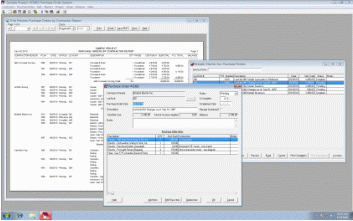
H.O.M.E.S. Purchase Order System is an optional fully integrated add-on component of H.O.M.E.S. home builders’ project management software, designed to automate and organize requisitioning and purchasing from contractors. It functions as a reliable automatic notification system to keep trades informed regarding what they are required to build. It automatically generates purchase orders, work orders, change orders and cancellation notices, tracks work status and records invoice payments to avoid premature payments, duplicate payments and over-payments. |
|
|
|
(Click on image to enlarge) |
|
The principle of the system is to maximize efficiency and eliminate errors and omissions in the administration of the purchasing of standard model components, upgrades & extras, finishes etc. The system may replace, or be used in lieu of, an accounting system’s purchase order module. It is not intended to replace an accounting system, but to assist an accounting system in determining what payments should be made, and eliminate the drudgery of having to manually create purchase orders. |
| Key Features and Benefits |
|
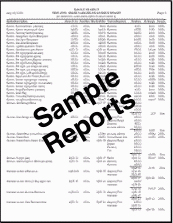
| Sample Reports | ||||
|
||||
| Pricing / Evaluation: |
| Click here for information regarding pricing, live demonstrations or evaluation copies. |
| System Requirements: |
|
The system requirements for running H.O.M.E.S. are minimal especially for remote sales or construction site office clients (or local head office clients) using Remote Desktop to connect to head office, because H.O.M.E.S. does not have to be installed on the remote client computers. Administration is also minimal even if clients are not using remote desktop at head office because typically upgrades are only necessary on the main file server. (We are happy to perform upgrades for you if temporary remote access is granted.) Click here for specific detailed system requirements for various H.O.M.E.S. implementations including on servers. |
| Conclusion |
|
The H.O.M.E.S. Purchase Order System is the ideal addition to automate your purchasing and ensure nothing requested by your customers is ever missed or overlooked, and no premature or duplicate payments are ever made to contractors or suppliers. More questions? Refer to the Frequently Asked Questions page for answers to questions commonly asked of our sales and technical support departments. |
|
Have we left anything out? You bet! To receive more information, a demonstration or an evaluation copy of H.O.M.E.S. call Falcon Software at (705) 652-1999, or e-mail to: Sales/General Information |
 |
| Home About Us Products Support News Contact Us Sitemap |
|
© 2000-2011 Falcon Software (All rights reserved) |
|
Windows, Office, and MS-Word are trademarks of Microsoft Corporation |